
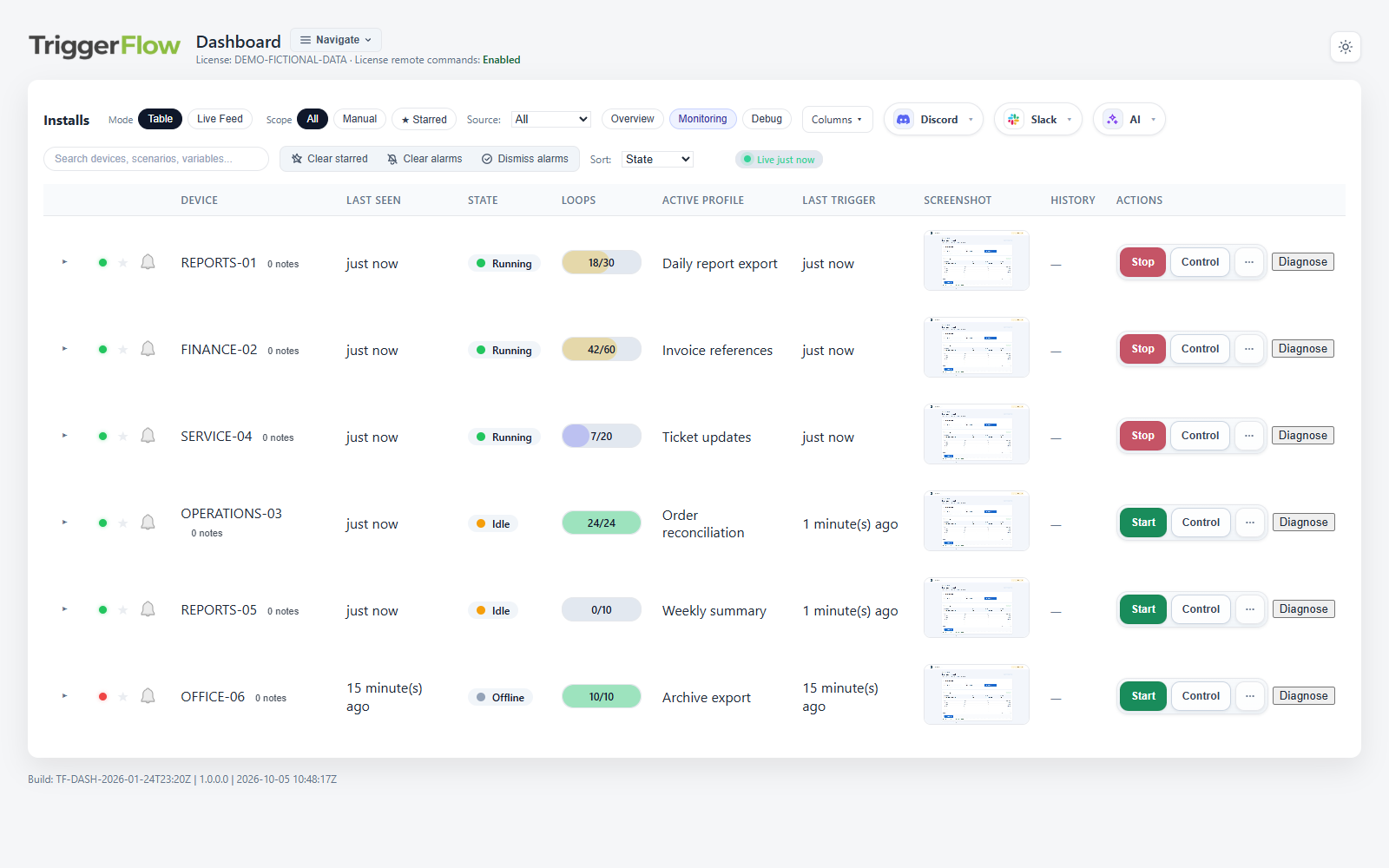
Know where attention is needed
The dashboard brings device identity, current state, active profile and recent activity into one place. Use search, starred devices and view presets to focus on the machines that matter to your work.
Live screenshots help you see the application behind the status. Last Seen and Last Telemetry show how recent the information is, so you can distinguish a reported state from a device that has stopped checking in.
- Scan running, idle, offline and other attention states.
- Inspect the active profile, loop counts and available workflow outputs.
- Check the age of a screenshot or status before deciding what to do.
Look at the device, then act
Open a device’s Control view to inspect its screen. Where remote control is enabled and the connected session supports it, you can interact with the desktop to investigate or make a deliberate correction.
Remote Start and Stop let you manage workflow execution from the dashboard. After sending a command, check the updated device state and screen to confirm the response. Sending a request and seeing it take effect are separate steps.
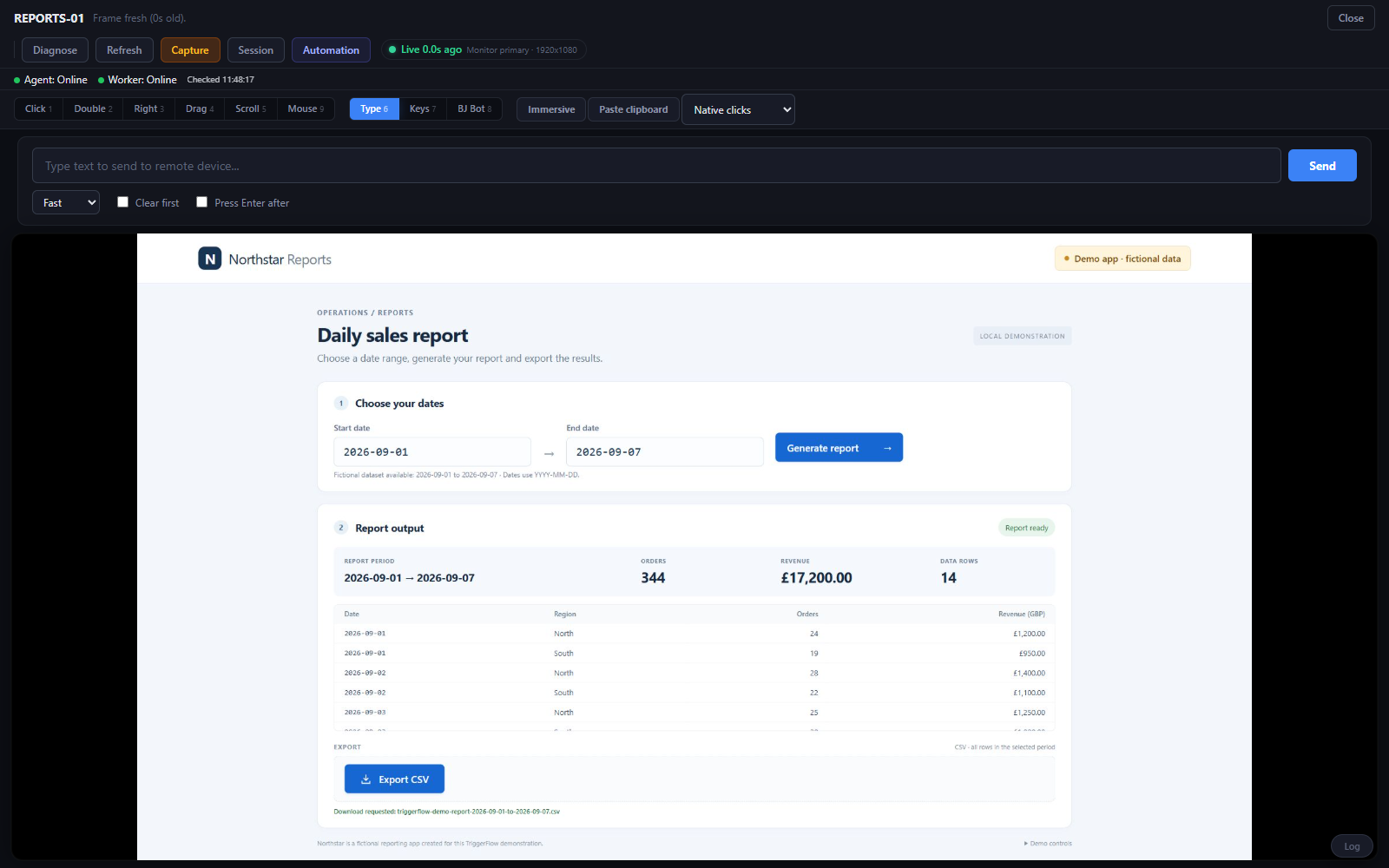 View full-size screenshot
 Keep the result in view
Review available history and screenshot evidence when a task behaves differently from its successful test. Compare that evidence with the workflow’s expected output to understand where it needs attention.
Configured alerts can bring errors, no-trigger timeouts or loop limits to your attention. Pro and Business plans include alert capabilities; set up the channels and rules you need, then test that the intended notification arrives. Evidence depends on the capture and retention settings you configure.
Start with one device on Pro
Pro adds the fleet dashboard, live screenshots, remote commands and history. Start with a connected Windows PC and a small validated workflow, then bring in more devices as you establish how to monitor them.
Use an authorised account with the required controls enabled. Screen access and interaction depend on the agent, connection and supported Windows session. If information is stale, restore connectivity and confirm a fresh update before relying on it.